 CabinetOS
The pause menu
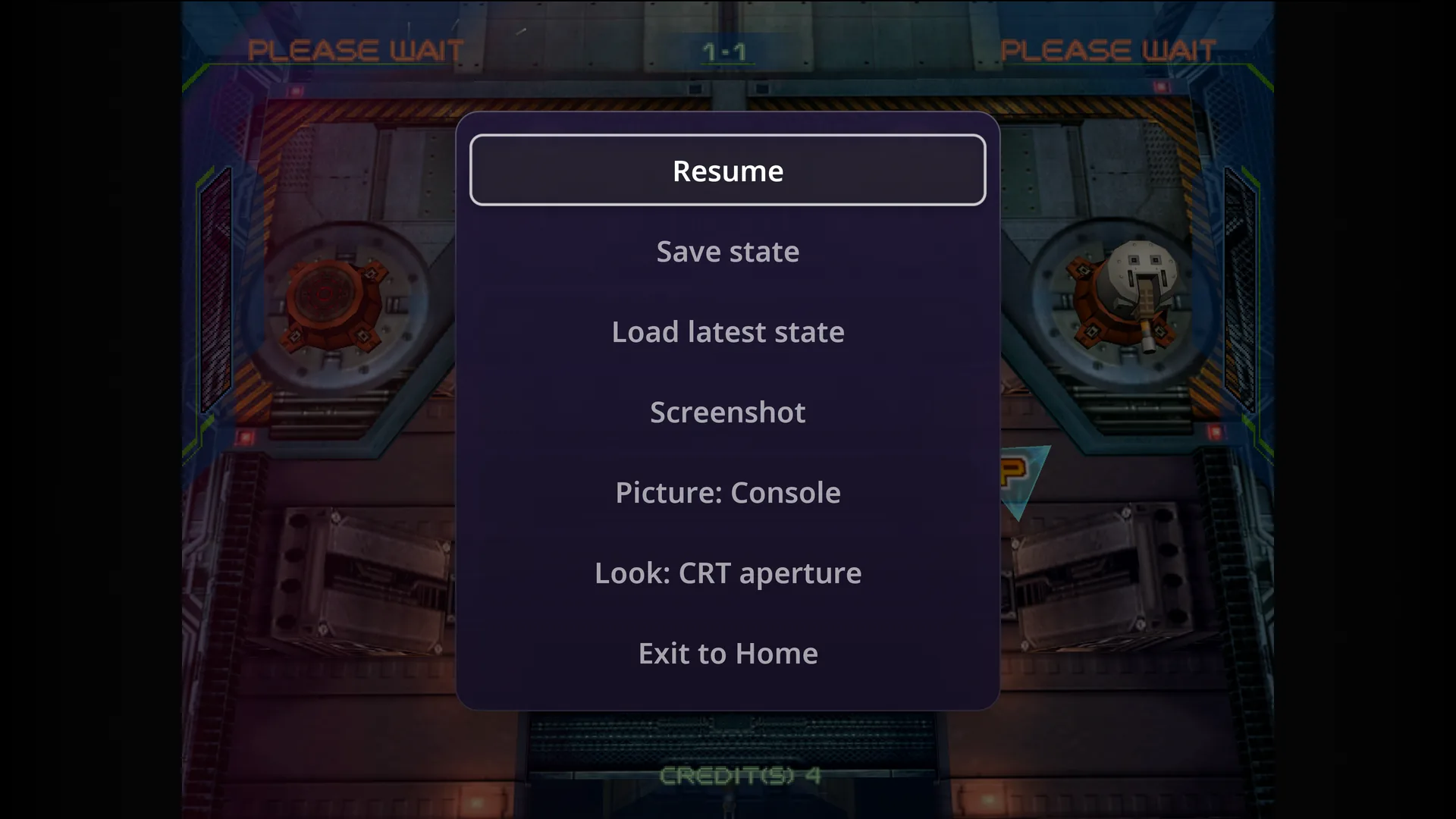
The same menu in every game, on every system.
Open it
- Press both sticks in together (L3 + R3). Always, on any pad.
- Escape on a USB keyboard. In PS2, Switch, PS3, Xbox, Xbox 360 and Wii U games the keyboard does not reach the menu: use a pad.
- A tap of the shortcut button (Home, unless you chose another), when In-game shortcuts are on.
- Hold HOME for a second on a Wii Remote, in a Wii game.
- Hold Select on a phone or controller streaming over Remote Play.
The game also pauses by itself when a controller switches off, and when a Remote Play stream starts or ends.
B closes the menu and goes back to the game.
What is in it
| Item | What it does |
|---|---|
| Resume | Back to the game. |
| Save state | Saves this exact moment, with a picture, to the console and to RomM. |
| Load latest state | Goes back to your newest save state for this game. The game waits on Press (A) to continue. |
| Screenshot | Saves a picture of the game (without the menu) to your RomM gallery. |
| Picture | This game’s picture level: Console (the console’s setting), Performance, Balanced or Quality. Takes effect from the next start. |
| Look | The screen look for this system: CRT, LCD, sharp or plain. Changes behind the menu straight away. |
| Screen / Colors | Virtual Boy’s screen colours and 3D glasses, Game Boy’s colour palettes. |
| Exit to Home | Saves your game to RomM and goes back to its page. |
Rows appear only where they apply:
- Save state and Load latest state: not on PS2, GameCube, Wii, Switch, PS3, Xbox, Xbox 360 or Wii U, which have no save states.
- Picture: only on systems with picture levels, and only for the owner when a PIN is set.
- Look: only on systems that have looks. See Picture and colours.
The Power menu
Press the PC’s power button (or Start on Home) for Sleep, Restart and Power off, plus Switch to Steam outside a game. In a game it opens with Resume first. Anything other than Resume leaves the game properly first, saves included.
Something wrong or missing here? See this page on GitHub or open an issue.