 CabinetOS
The library
Four places along the top bar: Home, Library, Search and Settings, with the signed-in person on the right. L1 and R1 move between them from anywhere.
Home
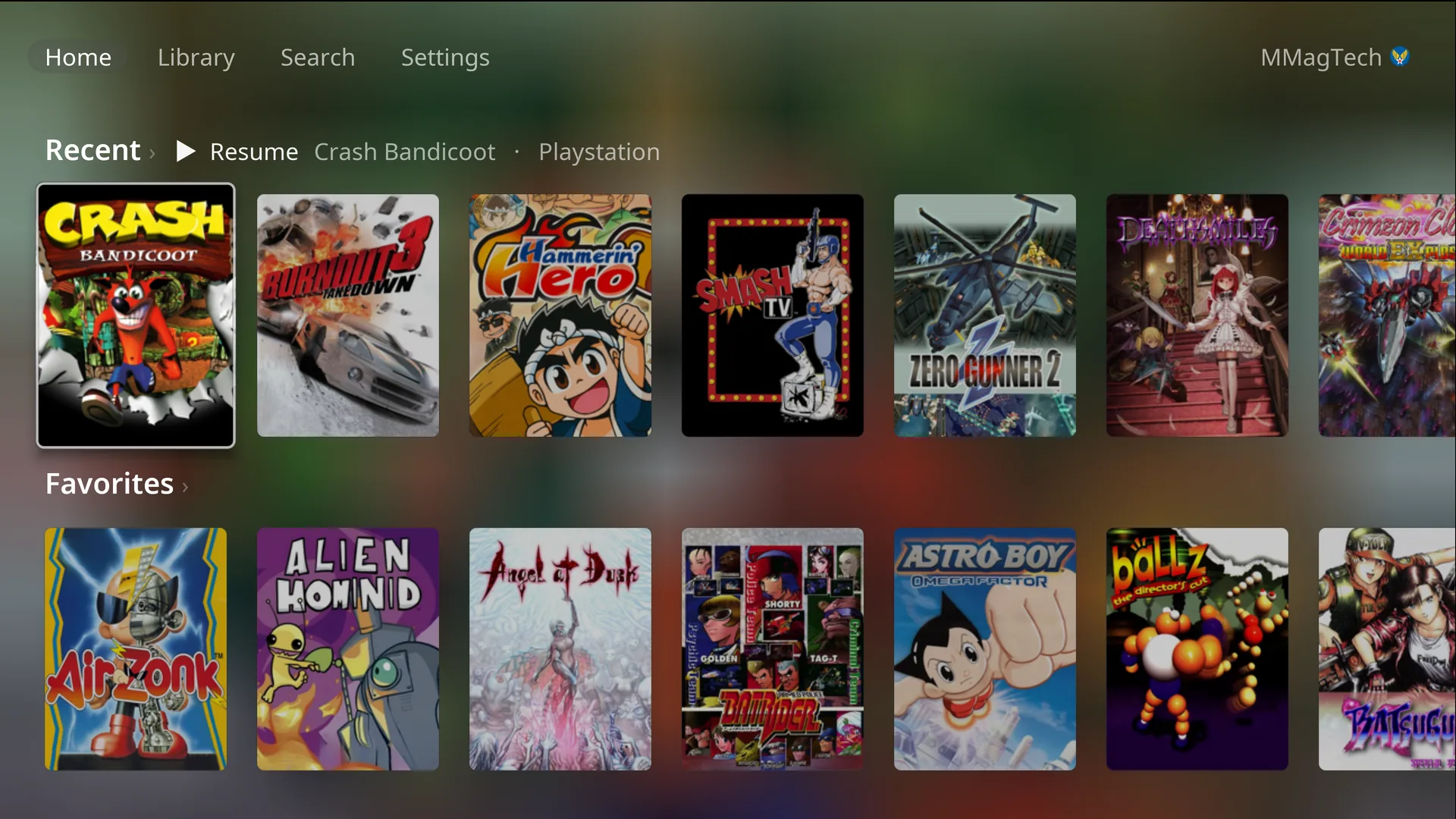
- Recent: the last 16 games you played. The first one says Resume: pressing it starts the game straight away, from its newest save state where the system has them.
- Favorites: the games you gave a heart. It only appears once there is one.
- The focused game’s cover fills the background.
- A small cyan dot on a cover means the game is downloaded.
Every other cover opens the game’s page.
Library
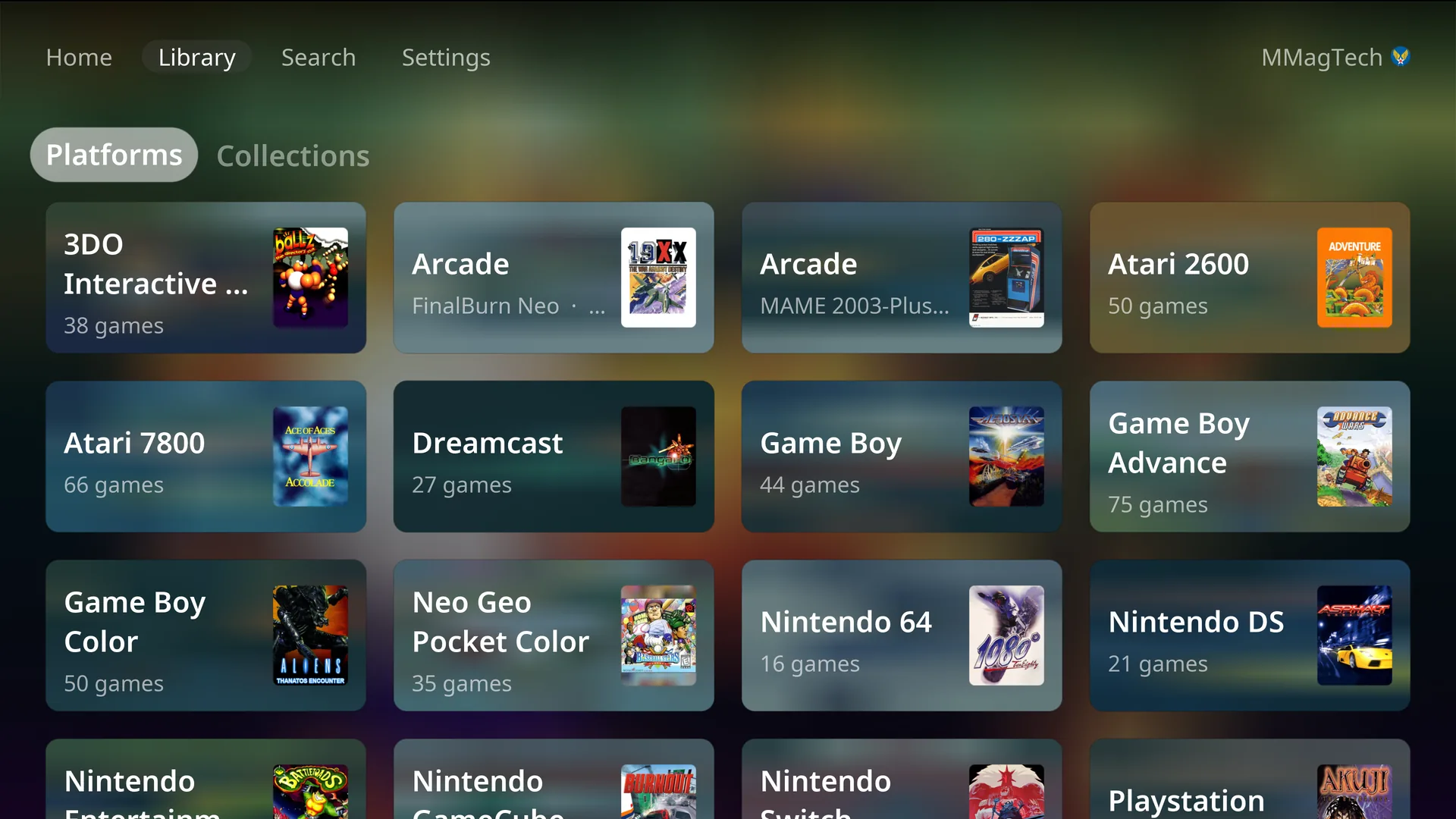
- Platforms: one tile per system on your server, with the number of games.
- Collections: your RomM collections.
A system whose emulator is still being set up shows greyed, with Emulator not installed. A system the console does not play has no tile; its games still show in Search.
A system’s games
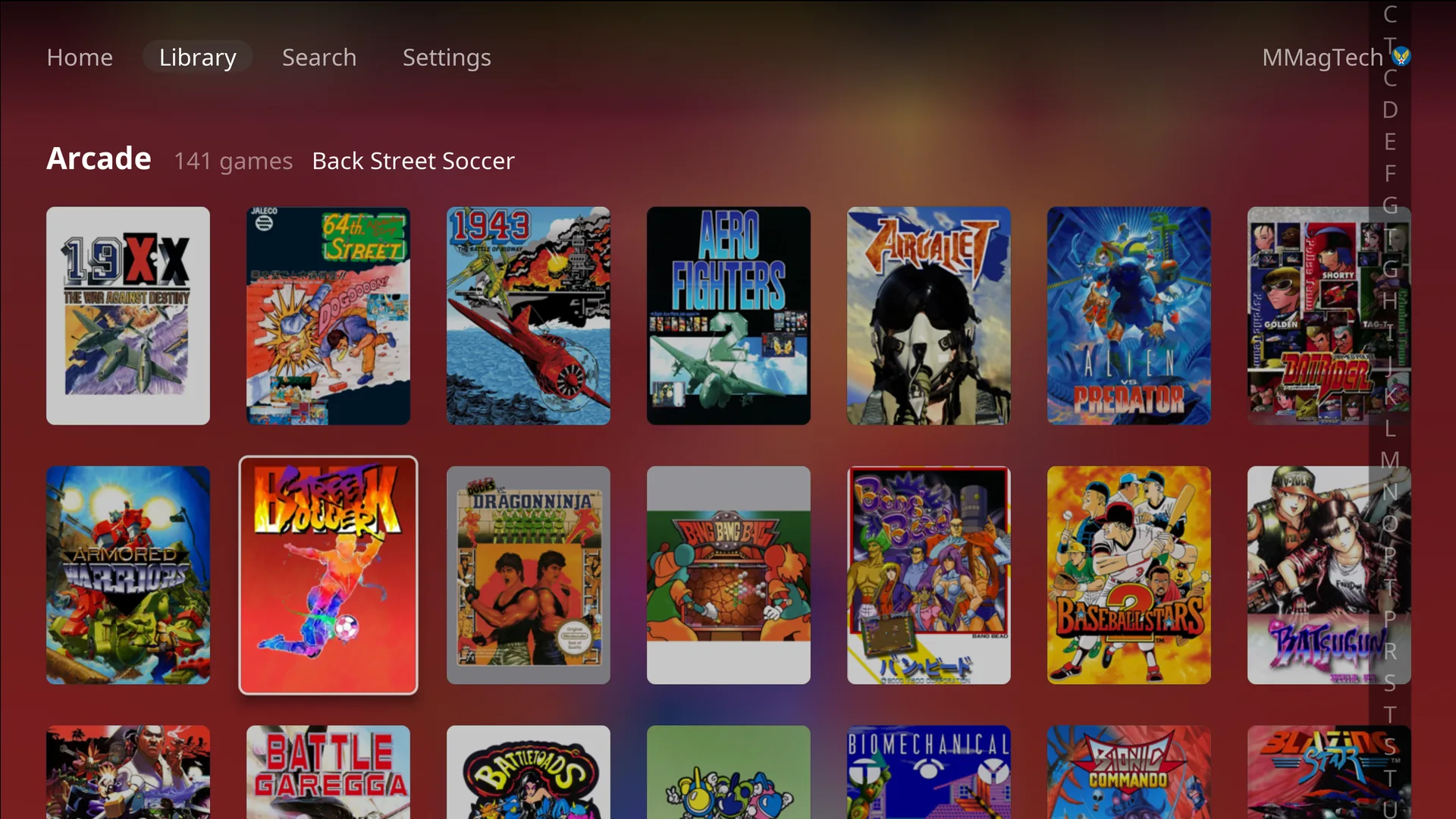
Games are in RomM’s title order. L2 and R2 jump to the previous or next letter, and the index on the right shows where you are. Games that need a controller nobody has paired (a Wii Remote, a Wii U GamePad) are greyed and listed last.
A game’s page
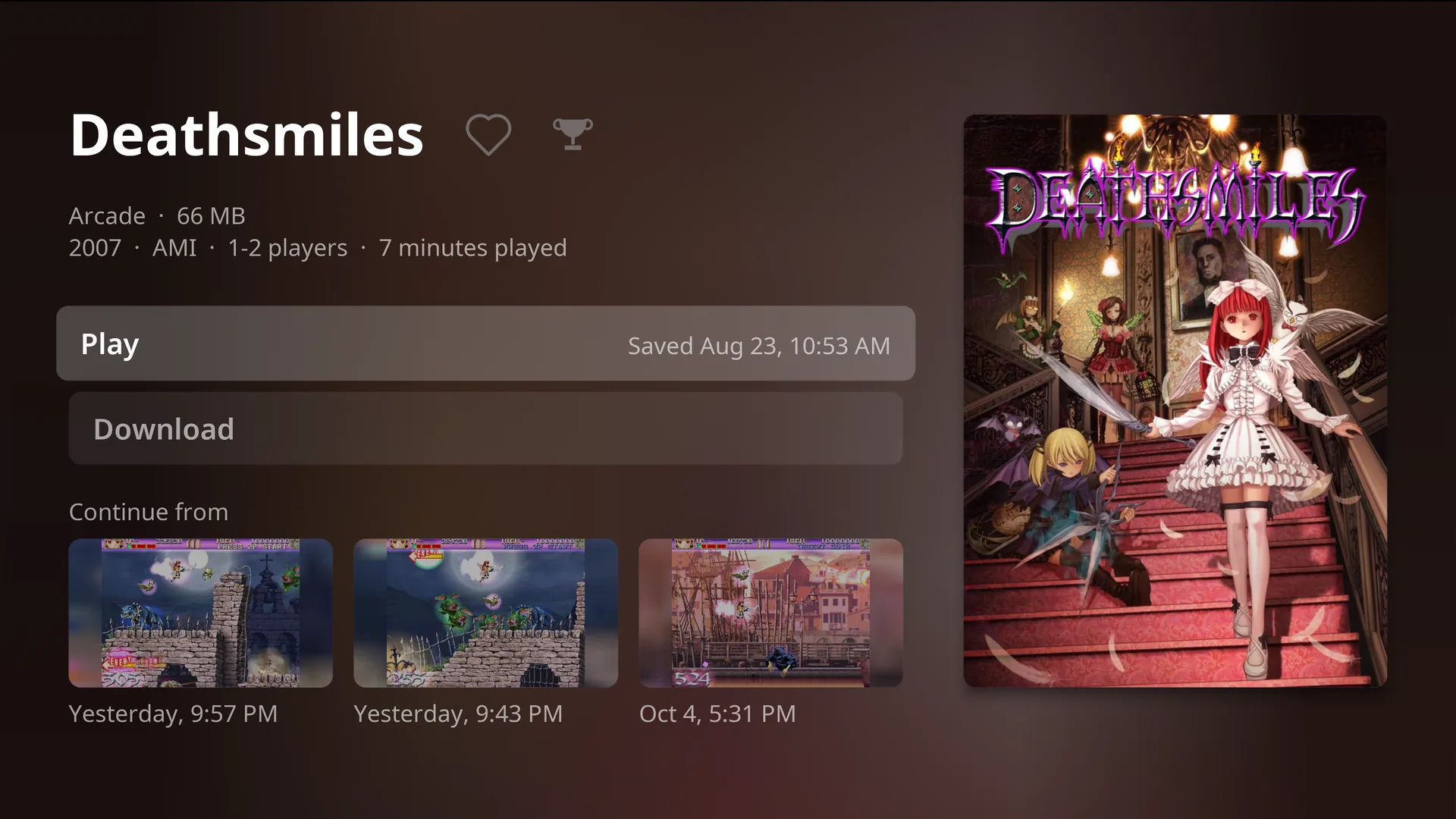
- The year, maker, number of players and how long you have played it.
- Play, with when the game was last saved.
- Download or Remove download. See Drives and storage.
- The heart (press Up from Play) adds it to Favorites.
- The trophy (beside the heart) lists its achievements, when you are signed in to RetroAchievements. It turns gold when you have them all.
- Continue from (press Down): your three newest save states, each with a picture and when it was made. Press one to play from that moment.
Search
Type on the on-screen keyboard and results appear as you go. Start (or done) moves into the results; B goes back to Home.
Offline
When the RomM server cannot be reached, the top bar says Offline and the console carries on with what is already on its drive:
- Recent, Favorites, Library and Search show the games on the drive, downloaded or fetched before.
- Saves made while offline wait and go up when the server is back. The console checks again every few seconds at first, then every minute.
- A game the console has never seen online cannot be shown.
At start-up the console waits for the server for 15 seconds, then goes offline if it has games to offer. A on the waiting screen changes the server address.
Something wrong or missing here? See this page on GitHub or open an issue.