 CabinetOS
Drives and storage
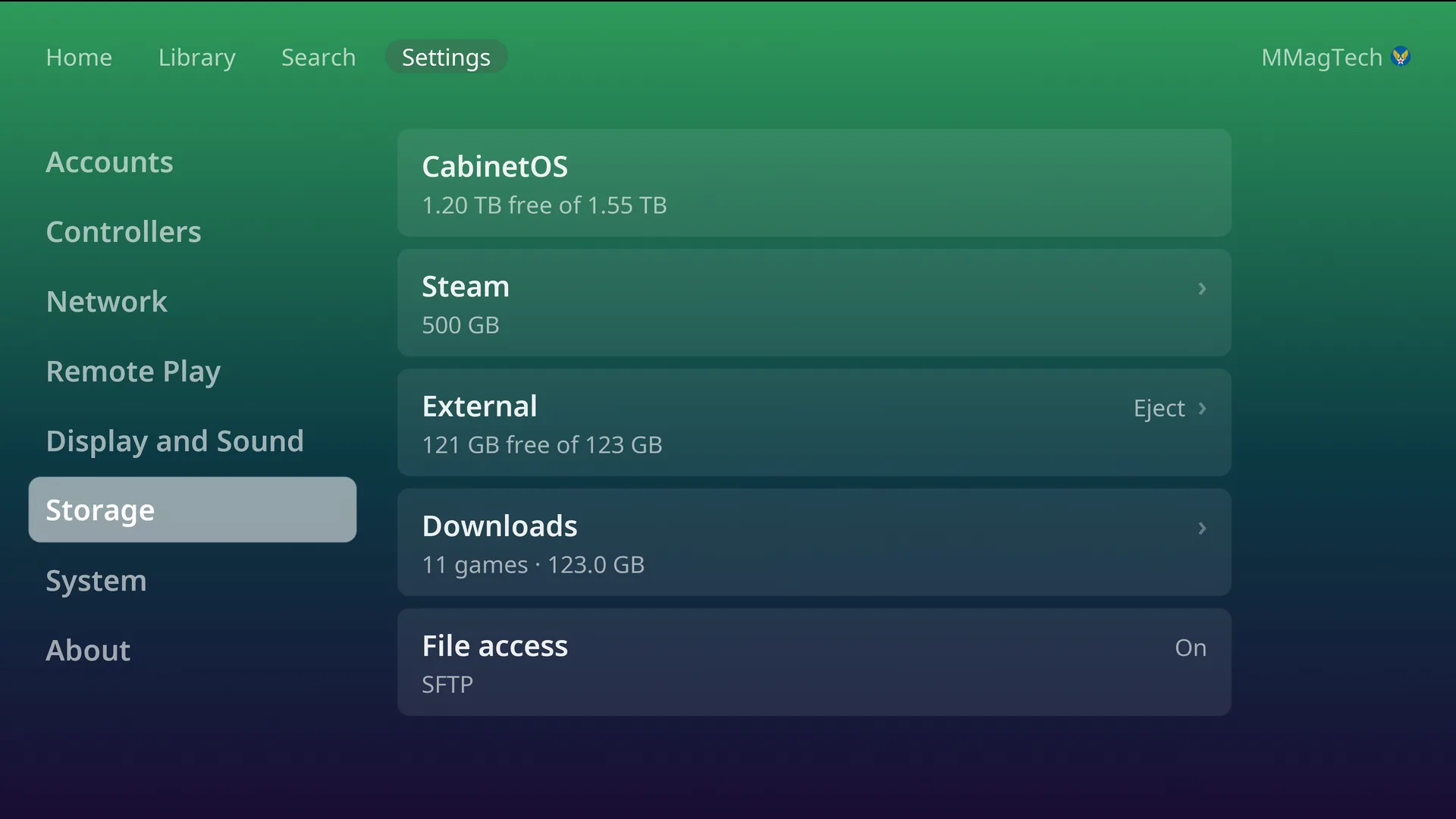
How games are stored
- Play on a game that is not on the console fetches it, then starts it. Fetched games stay until the space is needed, then the ones played longest ago are cleared first, quietly. The game you are playing is never cleared.
- Download on a game’s page keeps it: it is never cleared, and it plays with no server. Downloads are per person: Remove download frees the space once nobody else on the console keeps the game.
- Downloads go one at a time. The button you pressed becomes the progress bar, and a ring on the top bar shows a download from any screen.
- Zip, 7z, rar and gz files are unpacked on the console. CHD and RVZ play as they are.
Saves, states, screenshots, BIOS and settings always stay on the console’s own drive.
Extra drives
Plug it in and it is used. A USB drive, or a second internal drive,
formatted exFAT, NTFS or ext4, is picked up with no setup. The console makes
one CabinetOS folder on it and touches nothing else.
- Downloads fill the console’s own drive first. Once downloaded games take 80% of it, new downloads go to the extra drive with the most room.
- Unplugging a drive hides its games. Pressing Play on one fetches it again.
- Eject (on the drive’s row) before unplugging a drive in use. Safe to unplug means done.
Format a drive
A blank drive, or one in another format, shows on its row in Settings, Storage. Format erases the whole drive and makes it one ext4 drive named Games.
- The PIN, if one is set.
- Format this drive? with its name, size and what is on it. Cancel is picked to start with.
- Type the four-digit code the TV shows. This is the last chance to stop.
Format is not offered for the console’s own drive, or for a drive that already
holds a CabinetOS folder with files in it.
Downloads, for everyone
Settings, Storage, Downloads (behind the PIN) lists every downloaded game on the console, by system, largest first. Remove them one system at a time, a few at a time, or all at once. This removes them for every person on the console.
When space runs out
- A Download that does not fit says how much more space it needs.
- Storage almost full appears after a download when less than 10% is left.
- The console keeps a reserve for itself and for saves that downloads cannot use.
Something wrong or missing here? See this page on GitHub or open an issue.