 CabinetOS
Controllers and Bluetooth
Which controllers work
Any pad in the SDL controller list works with no setup, over Bluetooth or USB; the list holds over two thousand pads. The list arrives with each update. There is no button-mapping screen; buttons are matched by position, so the bottom face button is always A (Cross on PlayStation, B on Nintendo).
Wii Remotes have their own pairing, below.
Pair a Bluetooth controller
- Settings, Controllers, Controllers, Add a controller.
- Put the controller into pairing mode (see its manual).
- Its name appears in the list. Press A on it. Paired successfully. Press a button on it.
- Press any button on the new controller. The console says which player it is.
A wired pad needs nothing: plug it in.
Players
Up to four players. Each controller takes the next free number as it connects. In a game, a controller that switches off keeps its place (and the game pauses until any pad resumes it).
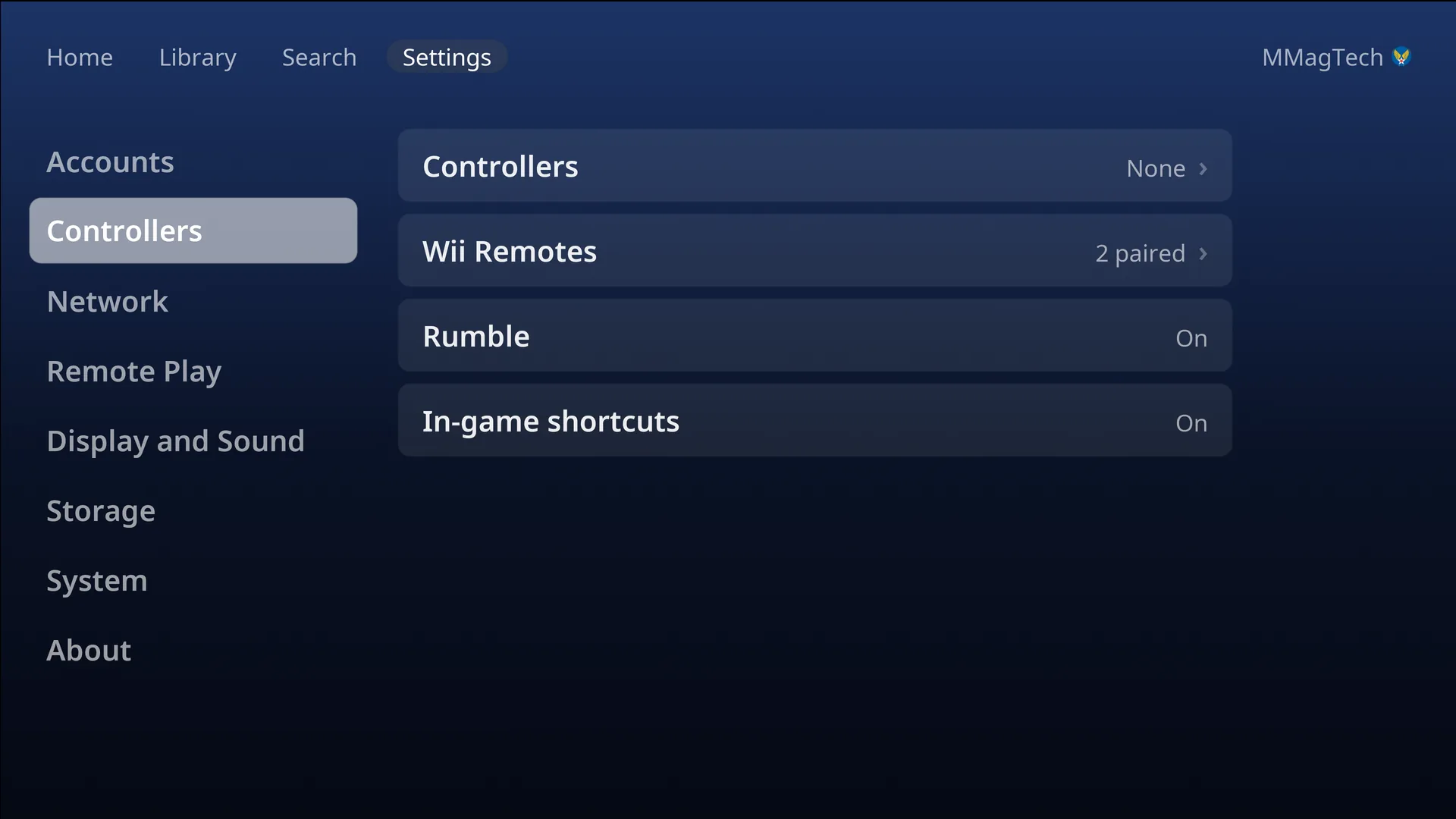
Settings, Controllers, Controllers lists each controller with its player. Press one for:
- Make player N: swap numbers (not during a game).
- Forget: unpair a Bluetooth controller.
Every controller plays as the person signed in. See Players and accounts.
Batteries
The top bar on Home, the Library, Search and Settings shows each wireless controller’s battery (P1 to P4, Wii Remotes W1 to W4), with a bolt while charging. A notice says when one runs low.
Rumble
Settings, Controllers, Rumble: on or off for every controller and every system. It is on to start with.
Wii Remotes
Real Wii Remotes play Wii games, pointer included.
- Settings, Controllers, Wii Remotes, Pair a Wii Remote.
- Press the red sync button on the Remote (under the battery cover).
- Wii Remote paired. After the first one, the console asks where your sensor bar is: above or below the TV.
In the menus a Wii Remote held upright works like a pad: the d-pad moves, A selects, B (the trigger) goes back, + is Start. It switches itself off after five minutes untouched outside a game.
Wii games that need a Remote are greyed (Needs a Wii Remote) until one is paired. In a Wii game, hold the Remote’s HOME button for a second for the console’s pause menu; a short press is the game’s own HOME menu.
In-game shortcuts
Off to start with. Turn on In-game shortcuts in Settings, Controllers, and the Home (Guide) button gains shortcuts for save states, rewind, fast forward and screenshots. See Buttons and shortcuts.
Something wrong or missing here? See this page on GitHub or open an issue.